Local AI · DGX Spark
Spark Chat Workbench
Type, and the reply appears word by word.
Local LLM × SSE streaming — see the thinking, preview the code.
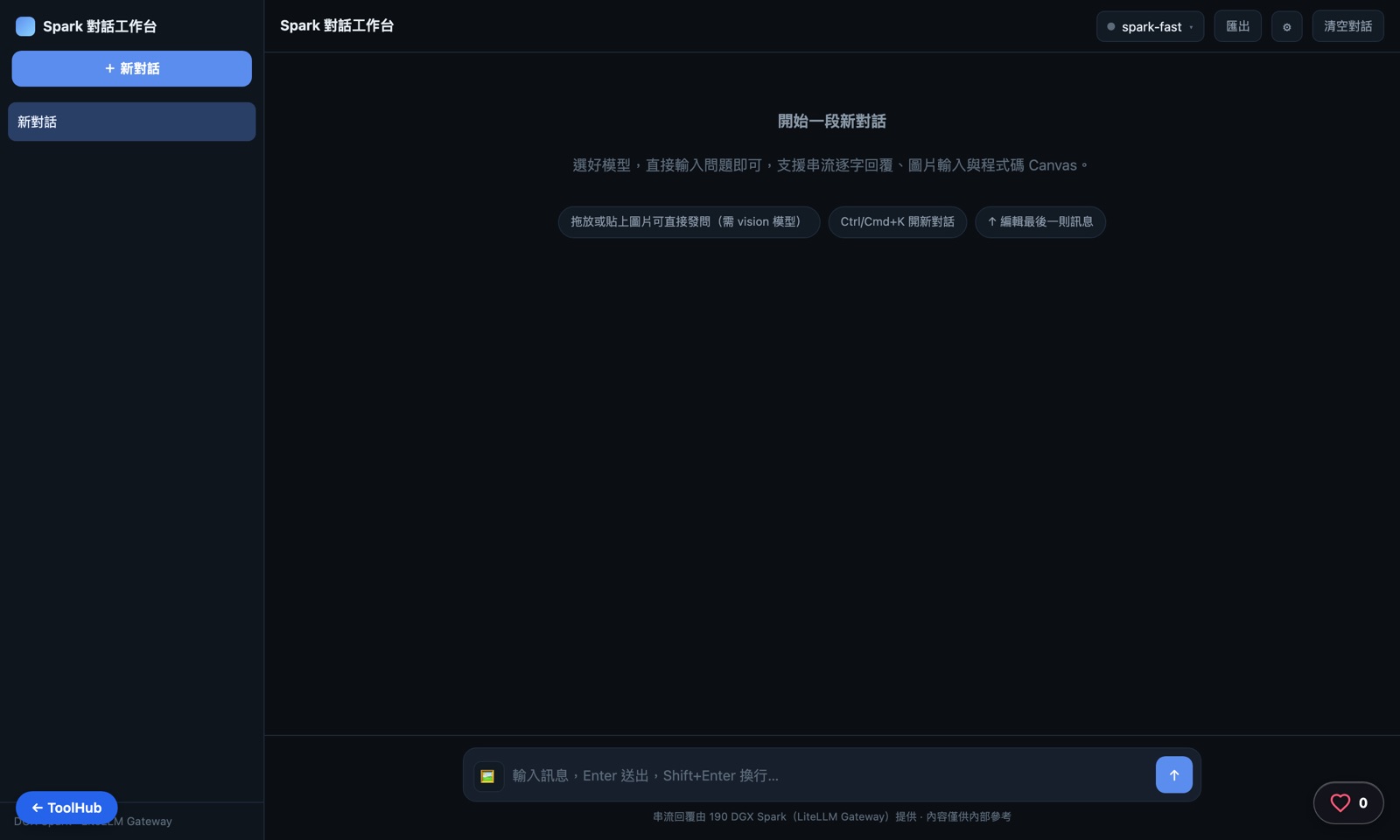
The live interface — captured with Playwright
Why build one
Commercial chat tools are great, except for the same three things: your data leaves the building, you pay per token, and you wait for the vendor to support a new model. For everyday use — drafting code snippets, asking questions about internal docs — the first one is already a blocker.
A local LLM was already running on the DGX Spark; what was missing was a good front end. Wrap a ChatGPT-style shell around the chat-completions-compatible API, and you get a chat workbench that is free and never leaves the network.
The real work is in the experience details — whether streaming stalls, whether the thinking should show, whether the code you write can be seen running immediately. Those details are the actual design of this tool.
How it works: the journey of one message
From sending one message to receiving a reply — five things happen in between.
Input arrives
Text or images (vision) go into the workbench, with the familiar rhythm of a ChatGPT-style conversation.
Calling the local LLM
The request goes through the chat-completions-compatible API on the DGX Spark, with no cloud service in the loop.
SSE streams the reply token by token
The model pushes tokens to the front end as it generates them — text appears word by word instead of waiting for the whole answer to finish.
Thinking gets its own collapsible pane
The model's thinking is tucked into an expandable panel, collapsed by default — expand it to check the reasoning, without cluttering the main reply.
Live code preview in a canvas
Code blocks in the reply are detected automatically — one click runs them live in a canvas, no copy-pasting into another tool.
Deep dive: the SSE streaming pipeline
From the request going out to code running live on screen, there's a full streaming pipeline in between: chunked reception, splitting thinking from the reply, syntax-highlighted rendering, and detecting what can be previewed.
POST /api/llmchat/chat
Send the request
temperature defaults to 0.7
max_tokens defaults to 2048
chat_template_kwargs.enable_thinking
reader.read() loop
Chunked SSE reception
TextDecoder accumulates a buffer
split on \n\n into message chunks
Parsing "data:" lines
Extract the JSON delta
[DONE] ends the stream
a line that fails to parse is skipped
Splitting the delta
Thinking vs. reply handled separately
reasoning_content → thinking pane
content → reply body
highlightCode/highlightMarkup
Markdown + syntax coloring
regex tokenizer tags
keywords/strings/numbers/comments
iframe sandbox preview
Canvas sandbox rendering
isHtmlLike/isSvgLike detection
sandbox="allow-scripts"
Collapsible thinking
Accumulated reasoning renders into <details class="thinking">思考過程</details>, updating live as the stream comes in; whether to collapse it afterward is left to the user.
Tiered stream error handling
401 unauthorized, 413 payload too large, 429 rate-limited (reads the Retry-After header) each get their own message instead of one generic "something went wrong"; aborting a request distinguishes a user-initiated stop from a dropped stream.
Key design decisions
Streaming first
Tokens appear as they're generated, so long answers never mean staring at a blank screen — responsiveness is the first hurdle for this kind of tool.
Thinking kept, but collapsed
Expand it to see how the model reasoned; leave it collapsed by default so it never crowds out the answer.
Live code preview in a canvas
Write a web snippet and see it run in the same screen — no copy-pasting into a separate tool to verify it works.
Local-first, no cloud in the loop
From chat to vision image input, everything runs on the DGX Spark locally — data never leaves the network.
Architecture
Frontend
ChatGPT-style interface
streaming type-on animation
collapsible thinking pane
Streaming
SSE
token-by-token push
non-blocking UI
Model
Local LLM on DGX Spark
chat-completions-compatible API
vision image input
Canvas
code block detection
one-click live preview
web snippets run in place
The live tool is locked behind Basic Auth — this page shares the architecture and design.