A transcription tool in the browser · audio never leaves the page
An answer that changes,
then one that stands
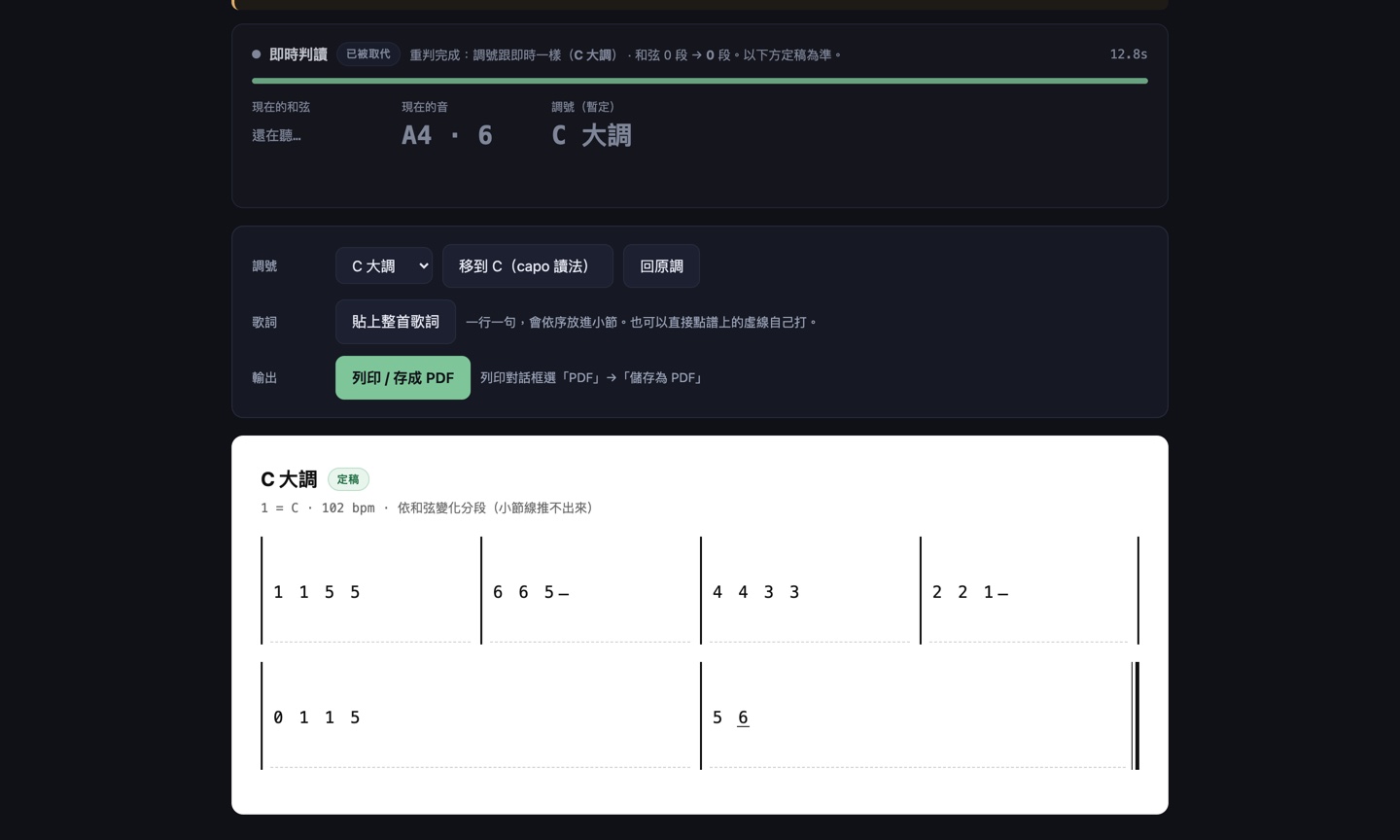
It puts chords and pitch on screen while it is still listening, so you can see it following you. When you stop, it re-reads the whole waveform and overwrites that first answer with a better one.
The two disagreeing is normal — so the tool says which one is provisional, and what the re-read changed.
Why two passes
Because "show me now" and "get it right" pull in opposite directions.
Live · provisional
It cannot see the future. New evidence makes it change its mind, and on a short take it will not name a key at all — because it genuinely has not heard enough yet.
Its value is not accuracy. It is that you can see it following what you play.
Re-read · final
When you stop, it runs the whole waveform again: finish first, take the final key, then compute the scale degrees once with that key instead of patching as it goes.
Both paths share the same DSP — streamed in chunks versus run end to end.
The hard part was not the algorithm, it was the screen. A live result that jumps around is correct behaviour and a disaster to look at: if you cannot tell which answer is provisional, the tool simply reads as unreliable.
So one rule separates the two everywhere: dashed border and amber means provisional, solid border and green means final. When the re-read lands, the panel states the difference in words — "same key as the live pass (C major) · 7 chord spans → 7". If the answer changes on its own, you should be able to tell that the re-read fixed it, rather than that the tool is flailing.
Four screens
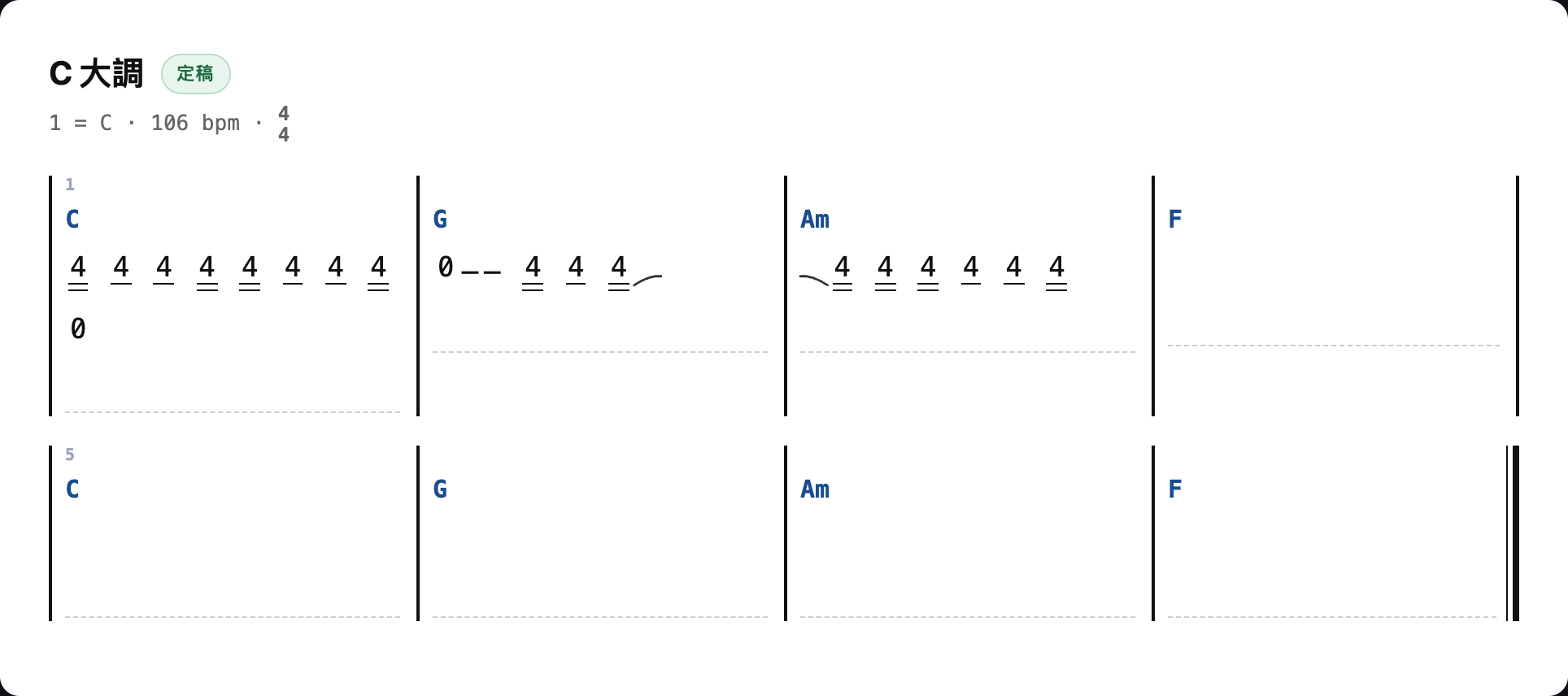
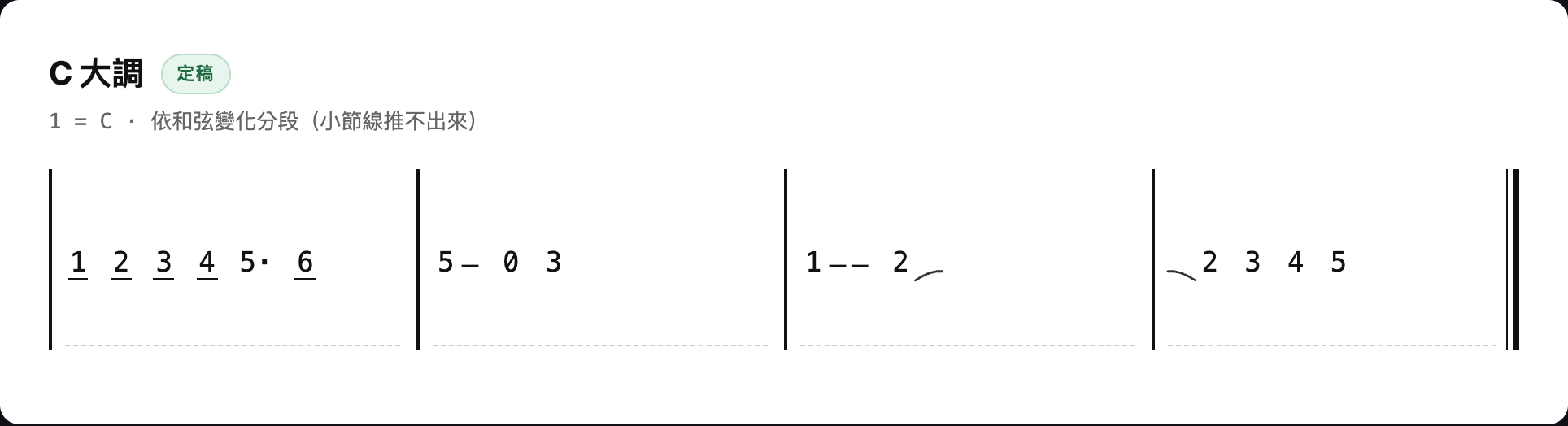
All of it really ran: synthesised audio in, this is what came out.


Analysis output is not a chart
Every number right and the notation wrong, and a player stops trusting the page.
A bar cannot hold five beats
The original code pushed a note that did not fit into the next bar whole, which left five beats inside a 4/4 bar. Players count that in a second, and it costs the whole chart its credibility.
Notes crossing a bar line are now split and tied back together. The tie is drawn as an SVG arc rather than a ⌒ character — relying on font coverage turns it into a tofu box.
A gap is not a rest
Note segmentation leaves a gap between notes on purpose — onset detection needs it to separate repeated notes. That gap is not silence in the musical sense, so the threshold sits at 0.4 beats.
And one that is easy to add by reflex and wrong: a rest split by a bar line is not tied. Nothing is sounding, so it is simply two rests.
No bar lines, no bar numbers
Bar lines are inferred from the assumption that chord changes tend to land on downbeats. Below a support threshold they are not drawn at all, and the page falls back to grouping by chord change — those cells are not bars, so they get no numbers either.
Saying less is fine; saying something wrong is not. The same rule is why lyrics stay a paste-in field instead of speech recognition.
Measured
Every number maps to a test you can run.
9ms
CPU per second of audio
in the live pass (budget 1000)
0
frames dropped
fed 4096 or 16384, same result
7.8s
accumulated on an 8s take
0.2s short of naming a key
0
network requests
and dependencies
The third number is the interesting one. On an 8-second take the live pass accumulates 7.8 seconds and refuses to name a key — correct, it really has not heard enough. The re-read runs the same audio end to end and returns C major — also correct, it has. One piece of code, two callers, both lines true at once — so the test does not assert that the two agree. It asserts that they disagree exactly where they should.
Under the hood
DSP
4096-point FFT / hop 1024
Peak picking + parabolic interpolation
12-bin chroma × 84 chord templates
Two pipelines
Chroma needs frequency resolution
YIN needs time resolution
Opposite needs, so they run apart
Live path
ScriptProcessorNode
Incoming blocks re-cut to 4096
A full ring buffer drops data silently
Verification
3 node end-to-end suites
Playwright across 5 stages
Recording really runs, via a fake mic
The whole signal chain is carried over from Ear Notes, the version already measured on the glasses — not one line changed to move platform. Keeping pure computation away from I/O only pays off later, at the port.
Everything runs in your browser. Audio is never uploaded, and the page makes no network requests. One 38 KB file.