Local AI · DGX Spark
Reading Review Knowledge Base
Ask a book a question, get a cited answer.
Semantic search across 173 books' summaries and full text — local embedding × local LLM.
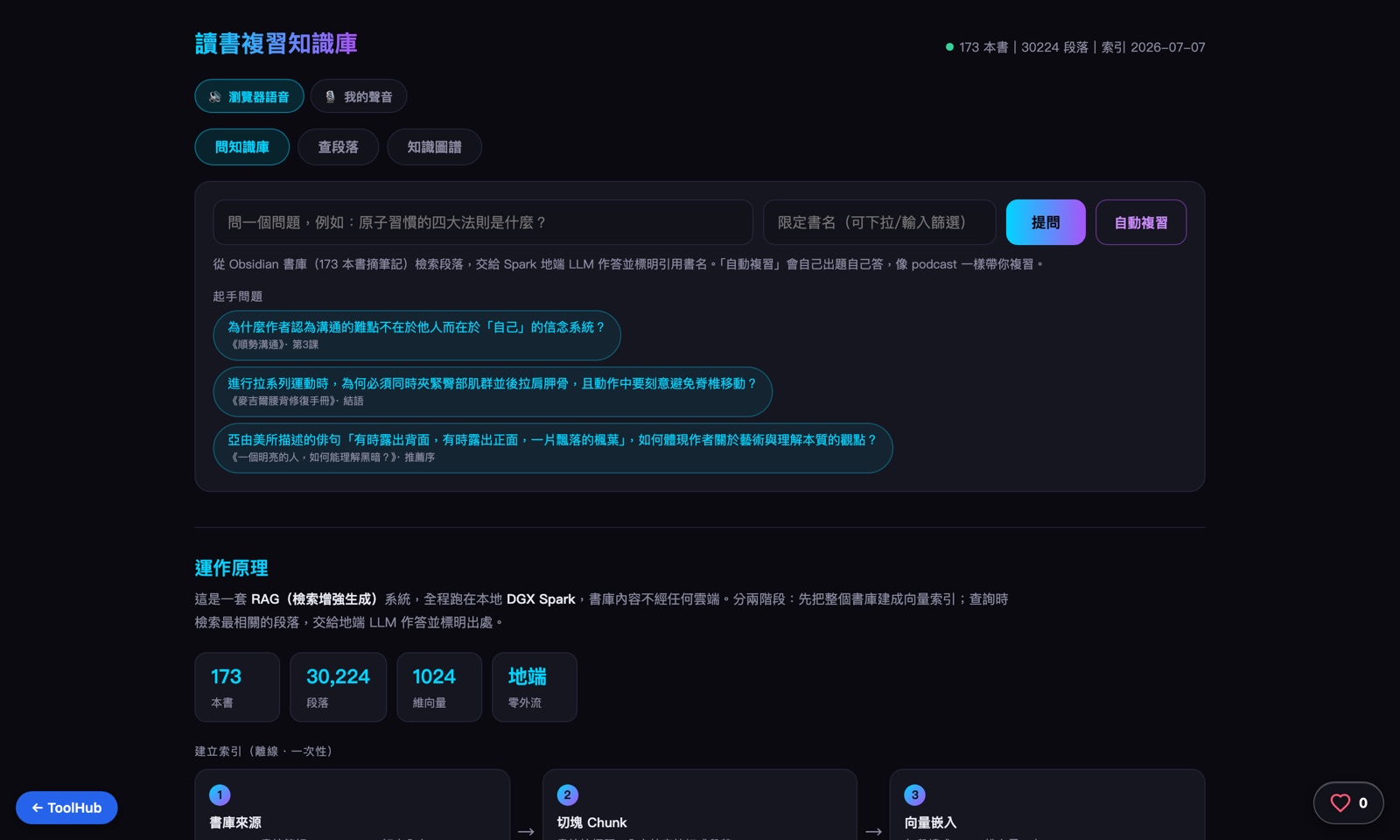
The live interface — captured with Playwright
Why build one
Forgetting a book right after finishing it is normal, and re-reading takes too long. Note-taking apps can store summaries, but they can't answer a question — figuring out which book covered a given idea still means relying on memory or manual searching.
Obsidian already held hundreds of book summaries, plus the full text of purchased ebooks. Sync both to the DGX Spark, chunk and embed them, and it becomes a personal knowledge base you can actually question.
The hardest part is honesty: if a book isn't in the library, the LLM must not make up an answer from vague recollection.
How it works: the journey of one question
From syncing a book summary to one cited answer — six things happen in between.
Summaries and full text sync in
Book summary notes in Obsidian, plus the full text of purchased ebooks, sync down to the DGX Spark locally.
Chunking
Markdown is split along its heading structure, with overly long sections chunked further to keep each piece semantically whole.
Local embedding
qwen3-embedding:0.6b turns each chunk into a 1024-dimension vector, with a content-hash incremental cache — only files that actually changed get recomputed.
A one-time full-text build
The full text of 173 books splits into 30,224 chunks; the first full embedding pass took about 39 minutes, and incremental caching handles the deltas afterward.
Semantic retrieval at query time
The question is embedded, then retrieval mixes summaries and full text in a fixed half-and-half split — a naive blend would let the much larger full text drown out the summaries.
The local LLM answers
It generates a Chinese answer from the retrieved passages, with a forced citation to the book title. Pure-LLM features — quiz generation, insights, translation — route through a LiteLLM gateway instead, and every call shares one queue so requests never fight each other for local resources and time out.
Deep dive: retrieval mechanics and the knowledge graph
Two phases: the library gets built into a vector index offline; at query time, retrieval happens live, gets blended, and a local LLM generates a cited answer.
Building the index (offline, one-time)
Library sources
Obsidian summaries + decrypted Readmoo full text
Chunking
summaries split by heading, full text by chapter
Vector embedding
qwen3-embedding · Ollama, local
1024-dim vectors
stored in sqlite + npy
Query (real time)
Question vectorized
the same embedding model
Semantic retrieval
summaries + full text, blended half-and-half
top-k most relevant passages
LLM answers
qwythos:9b · Spark Gateway
generates from retrieved passages
forced citation to book title
Answer with citations
Traditional Chinese + sourced passages noted
Auto-review
Randomly samples a passage from the library → the 9B model writes 3 questions → answers them itself, like a podcast walking you through review.
Knowledge graph
Each book's vector is the mean of all its passage embeddings; books with high similarity get an edge, mapping the semantic relationships between books.
Why fully on-prem
Reading notes are private data — embedding, retrieval, and generation all happen on our own GB10, with no cloud API in the loop.
171
book summaries indexed
30,224
full-text chunks (173 books)
~39min
one-time full-text embedding build
1024
dim embedding vectors
Key design decisions
Half summary, half full text
Summaries give structure, full text gives original evidence. A naive blend lets the much larger full text drown out the summaries, so the split is fixed half-and-half — both always show up.
Retrieval honesty comes first
If a book isn't in the library, the answer says so plainly instead of letting the LLM guess from vague recollection — better no answer than a made-up one.
Every LLM call shares one queue
Q&A, quiz generation, insights, and translation all run through a single queue, so concurrent requests never fight for local resources and time out.
English translations pre-rendered in the background
Common content is translated ahead of time in the background, so clicking the button feels instant instead of triggering a wait.
Architecture
Frontend
live-filtering title combobox
auto-generated review quizzes
knowledge graph (vanilla canvas, force-directed)
Embedding
qwen3-embedding:0.6b
1024-dim vectors
content-hash incremental cache
Retrieval
half summary, half full text
semantic search
forced book-title citations
LLM
local LLM handles Q&A
LiteLLM gateway for quizzes/insights/translation
single queue, no concurrency
The live tool is locked behind Basic Auth — this page shares the architecture and design.